

This feature is only available to customers on a Felt Enterprise plan. To upgrade, contact Felt sales.
Benefits
The Felt integration allows you to:- Visualize Wherobots Data: Query and render your Wherobots data directly in Felt’s interactive mapping interface.
- Collaborative Mapping: Share interactive maps and spatial dashboards with your team.
Before you start
Before using this feature, ensure that you have the following:- An Account within a Professional, Innovation, or Enterprise Edition Wherobots Organization. For more information, see Create a Wherobots Account.
- A Wherobots API Key.
- A Felt Enterprise account. For more information, see Felt Pricing.
Connecting Felt to Wherobots
1
Open Felt
In your Felt workspace, click New Map or open an existing map.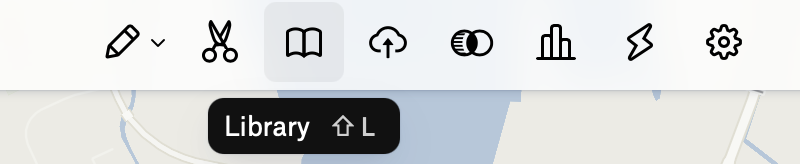
2
Access Library
Click on the Library icon in the toolbar.
3
Add New Source
Click + New Source.
4
Select Wherobots
Select Wherobots from the list of data sources.
5
Enter Connection Details
In the connection dialog, enter the following:
6
Enter Credentials
In the Credentials section, enter the following:
7
Connect
Click Connect.Once connected, you will see a catalog of your data with previews for your new source. From here, you can add any of these layers to your spatial dashboards.
Next steps
After connecting Felt to Wherobots, you can:- Add data layers to your maps for visualization.
- Create collaborative spatial dashboards with your team.
- Share interactive maps with stakeholders.