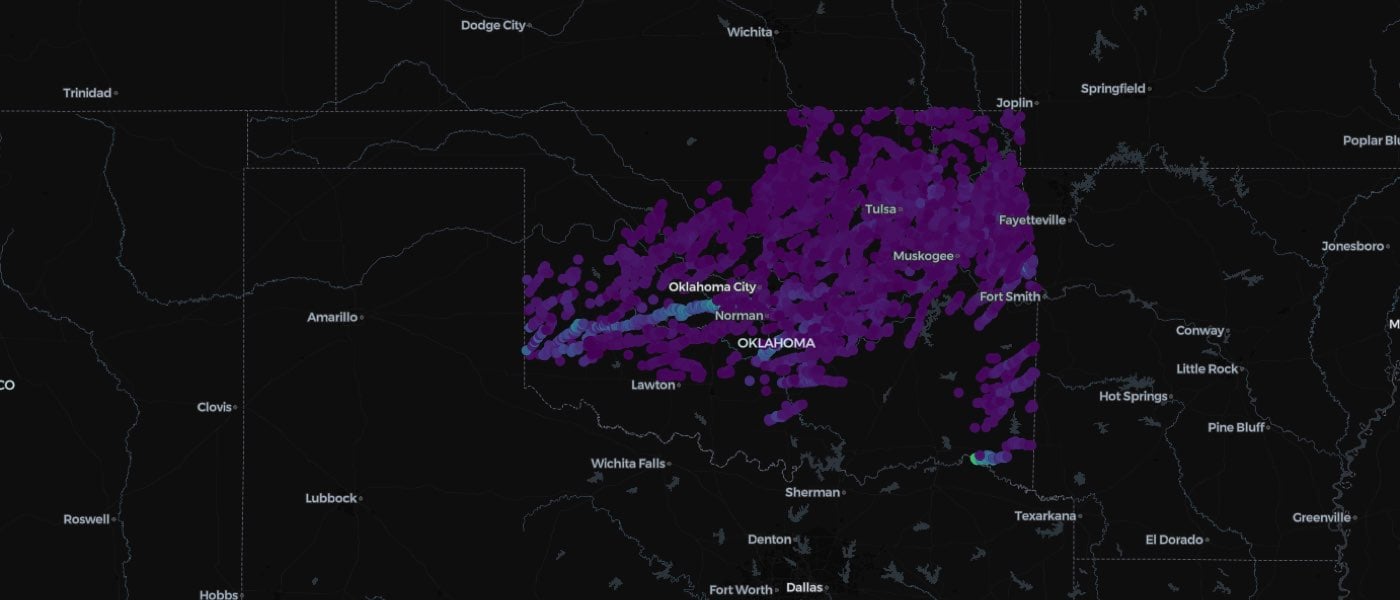
- Load CSV-formatted storm event data from an AWS S3 bucket.
- Prepare the data for geospatial queries by converting lat/long columns into a single
POINTcolumn. - Load 2-dimensional geometry to use in a filter over the severe weather points.
- Visualize the points and the surrounding geography on an interactive map using Wherobots-GL.
Why use Wherobots for storm data?
The size and complexity of storm event data can make it hard or expensive to analyze. Wherobots helps you write fast and cost-efficient analytics with:- Lazy Loading → Data is pulled into memory only when needed to run a query.
- Distributed Query Execution → Join and filter without moving large files.
- Fast Geospatial Filtering → Quickly combine and compare just the relevant data based on its geography.
- Administrative boundaries (counties, states, etc.)
- Critical infrastructure (power grids, highways, etc.)
- Other meteorological data (temperature, precipitation, etc.)
What is NOAA SWDI?
The NOAA Severe Weather Data Inventory (SWDI) aggregates severe weather records from multiple sources, including:- NEXRAD Level-3 products (tornado vortex signatures, hail signatures, mesocyclones)
- Storm warnings (severe thunderstorm, tornado, flash flood, and special marine warnings)
- Vaisala’s National Lightning Detection Network (NLDN)
- Storm cell structures (size, rotation, etc.)
How is this data useful?
The SWDI dataset can answer key public safety and business questions across many domains, including:- Insurance & Risk Analysis – Assessing hailstorm damage and storm frequency
- Disaster Response Planning – Understanding severe storm patterns for emergency planning
- Climate Change Studies – Analyzing shifts in extreme weather events
- Storm Tracking & Forecasting – Validating storm prediction models
Data files
The SWDI dataset contains smaller datasets of different aspects of storm activity.Data contents
- Date range: 1995 to the present, updated monthly
- Formats: CSV, Shapefiles, KMZ, JSON, XML
- Open access on AWS Marketplace:
s3://noaa-swdi-pds/ - File granularity: Aggregated by year for past years and by month for the current year
Writing the code
Set up an Apache Sedona context
The context,sedona, is the machine that runs in the Wherobots Cloud compute environment. To connect to the SWDI data on AWS,
we add anonymous S3 access credentials when we call SedonaContext.builder().getOrCreate().
You can read our documentation
about how to further configure the Sedona context.
Load and prepare SWDI hailstorm data
We will load two types of storm data into Wherobots DataFrames. First, we will work with NEXRAD Level-3 Hail Signatures:- Load 12.2M point locations of hail storm signatures from 2023.
- Use the
ST_Intersects()spatial filter to find the storms contained within a region. - Use Wherobots-GL to draw a map of those storms, coloring each storm by the size of the hail.
Read NEXRAD Level-3 Hail Signatures
Using PySpark, we will read the CSV file with 2023 hail signatures. The file starts like this:- Skipping the comment lines in the header
- Keeping the CSV file’s column names in our dataframe
- Parsing the timestamp string
- Converting the LON and LAT columns into a single Sedona point geometry column that can be used efficiently in geospatial queries
Filter to storms inside Texas on April 28th, 2023
To filter to Texas, we will first grab the geometry of Texas from thedivisions_division_area table in the Overture Maps Foundation dataset, hosted in the Wherobots Open Data catalog.
ST_Intersects predicate function to find the points inside texas_geometry.
Visualize the hailstorms on a map
Finally, we create an interactive map using Wherobots-GL. We pull the county boundaries from the open Overture Maps Foundation dataset to use as a layer on the map.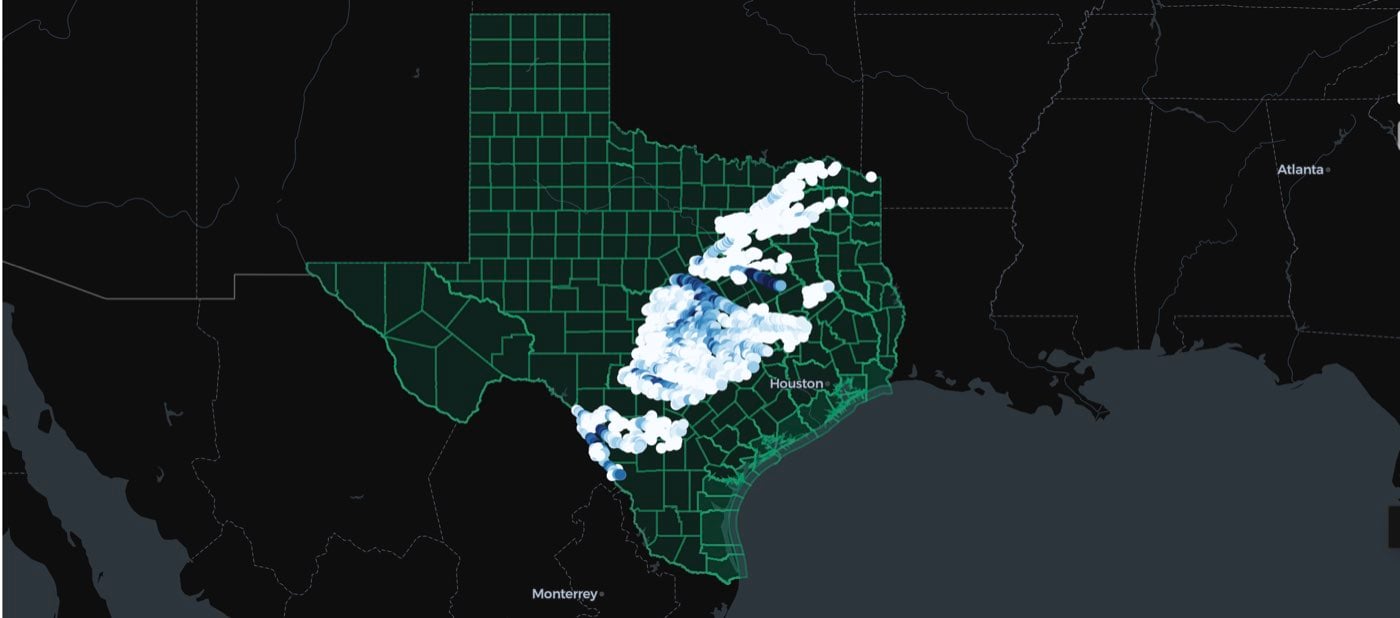
Read NEXRAD Level-3 storm cell data
Next, we’ll do a similar process for 38.8M points of storm data in Oklahoma for a single day from 2023.