

Havasu tables in Wherobots Cloud are automatically managed by the Wherobots Catalog, allowing you to interact with your data with Spatial SQL queries, and browse and explore your datasets and tables from within the Data Hub section of Wherobots Cloud. The Wherobots Catalog system allows you to manage multiple catalogs. Wherobots Cloud provides a default catalog calledDocumentation Index
Fetch the complete documentation index at: https://docs.wherobots.com/llms.txt
Use this file to discover all available pages before exploring further.
wherobots for your
Organization in which you can create and store your Havasu tables and
spatial datasets. Tables can be created by SQL queries directly, or
using the WherobotsDB/Sedona Python SDK from a notebook.
Catalog structure
Each catalog is composed of databases (namespaces), and each database can contain tables, which are referenced by<catalog>.<database>.<table>; for example:
Browsing datasets
The Data Hub lets you inspect the contents of your Managed and foreign catalogs as well as their respective schemas.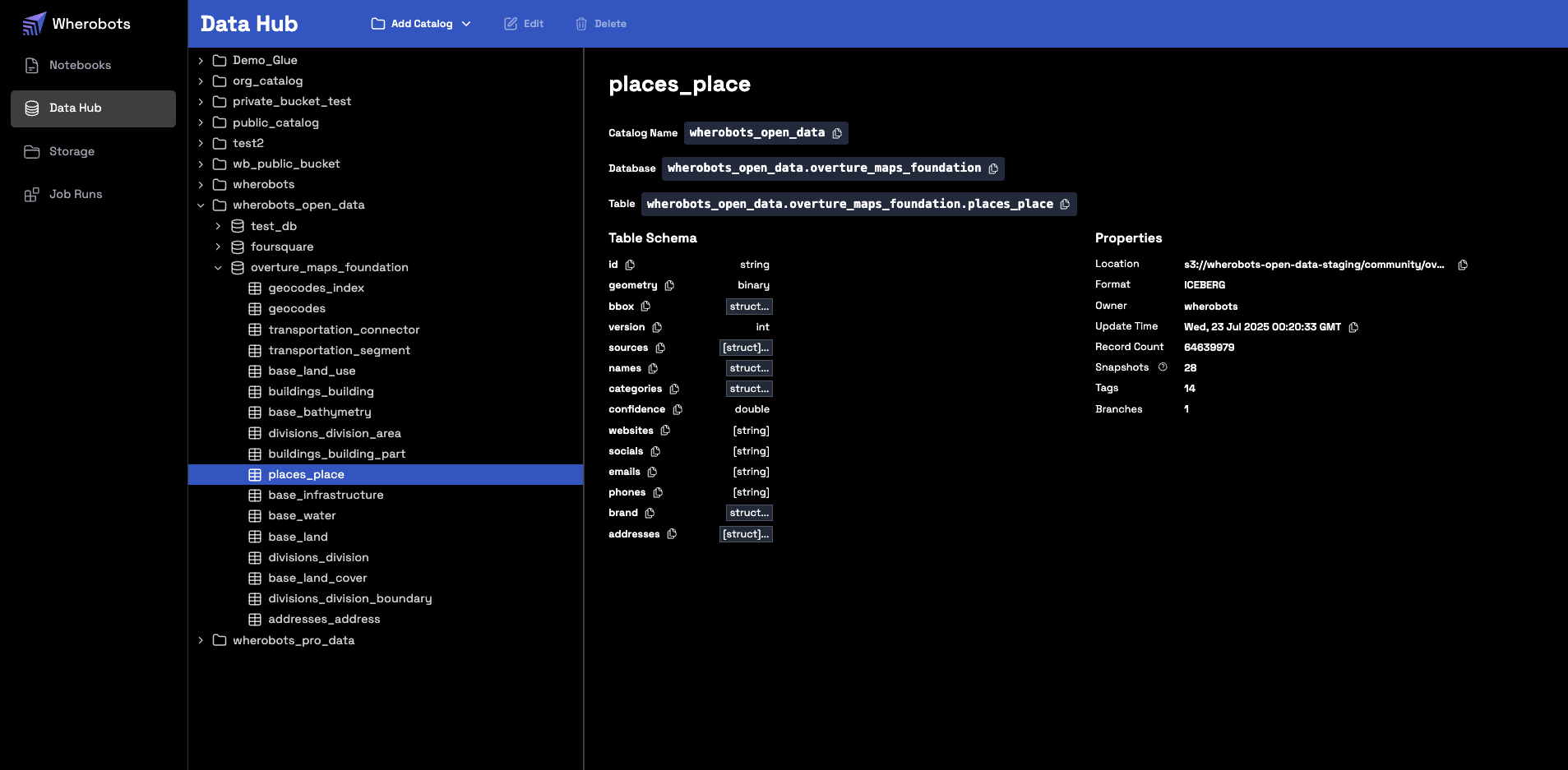
Create a Managed Catalog from an S3 Bucket
For more information on creating a Managed Catalog from an Amazon S3 private bucket, see Managed Catalog in the Wherobots Amazon S3 Integration Documentation.Working with catalogs in SQL
You can interact with your catalogs using either standard SQL or the Wherobots Python SDK.List Schemas
Lists the available schemas (databases) within a specified catalog.- SQL
- Python
List Tables
Lists the available tables within a specified schema.- SQL
- Python
Inspect Table Schema
Displays the column names and data types for a specific table.- SQL
- Python
View Table Content
Retrieves and displays the rows from a table.- SQL
- Python
Managing Catalogs
The following management commands are available in SQL and Python.List Catalogs
Lists the available catalogs in your environment.- SQL
- Python
Create a Schema
Creates a new schema (database) within a catalog to organize your tables.- SQL
- Python
Create a Table
Creates a new table from the results of a query.- SQL
- Python
Accessing Historical Overture Maps Foundation data snapshots
The Overture Maps Foundation regularly releases updated datasets. To ensure data consistency for your analysis and applications, Wherobots maintains historical snapshots of Overture Maps data. By default, when you query an Overture Data table without specifying a version, you will always access the latest stable release of the data. You can, however, query specific historical snapshots of Overture Maps data using theVERSION AS OF clause in
your SQL queries. This allows you to reproduce results or analyze changes over time.
Maintained Overture Maps Foundation versions
We maintain all non-alpha and non-beta versions of Overture Maps Foundation datasets. New stable versions are released regularly. Query the.refs column to get the most up-to-date list of available versions for a specific table.
Discovering available versions
To view all available named tags (versions) for an Overture Maps table, query its.refs column.
The following query lists all available version tags and their metadata for the places_place table:
- SQL
- Python
Querying a specific data snapshot
Overture’s data release tags are in the following format:YYYY-MM-DD.X
YYYY: Publication Year of the dataset.MM: Publication Month of the dataset.DD: Publication Date of the dataset.X: Dataset patch number.
YYYY-MM-DD.X with the specific version tag you wish to query.
To access a particular version of an Overture Maps table, use VERSION AS OF:
- SQL
- Python
Historical snapshot example
For a list of Overture Maps releases and their version numbers, see the Overture Maps Release Calendar. For example, to access theplaces_place table as it was on May 21, 2025:
- SQL
- Python