> ## Documentation Index
> Fetch the complete documentation index at: https://docs.wherobots.com/llms.txt
> Use this file to discover all available pages before exploring further.
# ST_S2ToGeom
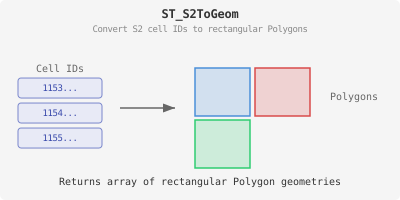
Returns an array of Polygons for the corresponding S2 cell IDs.
To convert a Polygon array to MultiPolygon, use [ST\_Collect](/reference/wherobots-db/geometry-data/editors/ST_Collect). However, the result may be an invalid geometry. Apply [ST\_MakeValid](/reference/wherobots-db/geometry-data/validation/ST_MakeValid) to the `ST_Collect` output to ensure a valid MultiPolygon.
An alternative approach to consolidate a Polygon array into a Polygon/MultiPolygon, use the [ST\_Union](/reference/wherobots-db/geometry-data/overlay/ST_Union) function.
## Signatures
```sql theme={"system"}
ST_S2ToGeom(cellIds: Array[Long])
```
## Parameters
The cell ids value.
## Return type
The resulting geometry.
## Example
```sql theme={"system"}
SELECT ST_S2ToGeom(array(11540474045136890))
```
```
[POLYGON ((-36.609392788630245 -38.169532607255846, -36.609392706252954 -38.169532607255846, -36.609392706252954 -38.169532507473015, -36.609392788630245 -38.169532507473015, -36.609392788630245 -38.169532607255846))]
```