> ## Documentation Index
> Fetch the complete documentation index at: https://docs.wherobots.com/llms.txt
> Use this file to discover all available pages before exploring further.

# Wherobots Documentation

export function openSearch() {
  document.getElementById('search-bar-entry').click();
}

<div className="relative w-full flex items-center justify-center" style={{ height: '28rem', overflow: 'hidden' }}>
  <div className="text-center px-4 max-w-full">
    <h1 className="sr-only">Wherobots Documentation</h1>

    <img src="https://mintcdn.com/wherobots/ZMDznqm6p31gtosA/images/Inline%20-%20Original&Black_noBG.png?fit=max&auto=format&n=ZMDznqm6p31gtosA&q=85&s=26fd892a3996638de10600251a6e9c1a" alt="Wherobots logo" className="mx-auto w-48 sm:w-64 md:w-80 lg:w-[28rem] block dark:hidden opacity-90 drop-shadow-2xl" width="640" height="148" data-path="images/Inline - Original&Black_noBG.png" />

    <img src="https://mintcdn.com/wherobots/-ePvPDYFheE9cCT5/images/Inline%20-%20Original&White_noBG.png?fit=max&auto=format&n=-ePvPDYFheE9cCT5&q=85&s=1f5c7a7ba0293e6ccf281b6e01df60b6" alt="Wherobots logo" className="mx-auto w-48 sm:w-64 md:w-80 lg:w-[28rem] hidden dark:block opacity-20 drop-shadow-2xl" width="640" height="148" data-path="images/Inline - Original&White_noBG.png" />

    <p className="mt-6 text-base sm:text-lg md:text-xl max-w-3xl mx-auto font-bold" style={{ color: '#6133beff' }}>
      Wherobots enables spatial ETL, analytics, and AI at planetary scale for a modern data lakehouse architecture.
    </p>

    <div className="flex items-center justify-center mt-6 max-w-2xl mx-auto">
      <button type="button" id="home-search-entry" onClick={openSearch} className="hidden lg:flex relative justify-center items-center w-full max-w-md text-sm leading-6 py-4 pl-12 pr-4 text-gray-600 dark:text-gray-200 rounded-full bg-white/90 dark:bg-black/30 border-2 shadow-sm" style={{ borderColor: '#6133be' }}>
        <span className="absolute left-4 flex-none w-4 h-4" style={{ maskImage: 'url("https://mintlify.b-cdn.net/v6.5.1/solid/magnifying-glass.svg")', WebkitMaskImage: 'url("https://mintlify.b-cdn.net/v6.5.1/solid/magnifying-glass.svg")', backgroundColor: 'currentColor' }} />

        Search the docs or ask our AI Assistant
      </button>
    </div>
  </div>
</div>

<div
  style={{marginTop: '2rem', marginBottom: '8rem', maxWidth: '70rem', marginLeft: 'auto',
marginRight: 'auto', paddingLeft: '1.25rem',
paddingRight: '1.25rem' }}
>
  <div className="relative rounded-xl border-2 overflow-hidden mt-10 mb-10" style={{ borderColor: '#6133be', background: 'linear-gradient(135deg, rgba(97,51,190,0.08) 0%, rgba(97,51,190,0.02) 100%)' }}>
    <div className="flex flex-col md:flex-row items-center gap-6 p-6 md:p-8">
      <div className="flex-1">
        <div className="inline-block text-xs font-semibold uppercase tracking-wider px-3 py-1 rounded-full mb-3" style={{ backgroundColor: 'rgba(97,51,190,0.15)', color: '#6133be' }}>
          New
        </div>

        <h2 className="text-2xl font-bold text-gray-900 dark:text-white mb-2">Wherobots VS Code Extension</h2>

        <p className="text-gray-600 dark:text-gray-400 mb-4">
          Turn your favorite code editor into an agentic geospatial workspace.<br /><br />

          Professional and Enterprise Organizations also get the built-in Wherobots MCP server for agent-led notebook creation and spatial data exploration.
        </p>

        <div className="flex flex-wrap gap-3">
          <a href="/develop/agentic-tools" className="inline-flex items-center px-4 py-2 rounded-lg text-sm font-semibold text-white no-underline hover:opacity-90" style={{ backgroundColor: '#6133be' }}>
            Get Started
          </a>

          <a href="https://marketplace.visualstudio.com/items?itemName=wherobots.wherobotsjobsubmit" className="inline-flex items-center px-4 py-2 rounded-lg text-sm font-semibold border no-underline hover:opacity-80" style={{ borderColor: '#6133be', color: '#6133be' }}>
            VS Code Marketplace
          </a>

          <a href="https://open-vsx.org/extension/Wherobots/wherobotsjobsubmit" className="inline-flex items-center px-4 py-2 rounded-lg text-sm font-semibold border no-underline hover:opacity-80" style={{ borderColor: '#6133be', color: '#6133be' }}>
            Open VSX Registry
          </a>
        </div>
      </div>

      <div className="flex-shrink-0 w-full md:w-80">
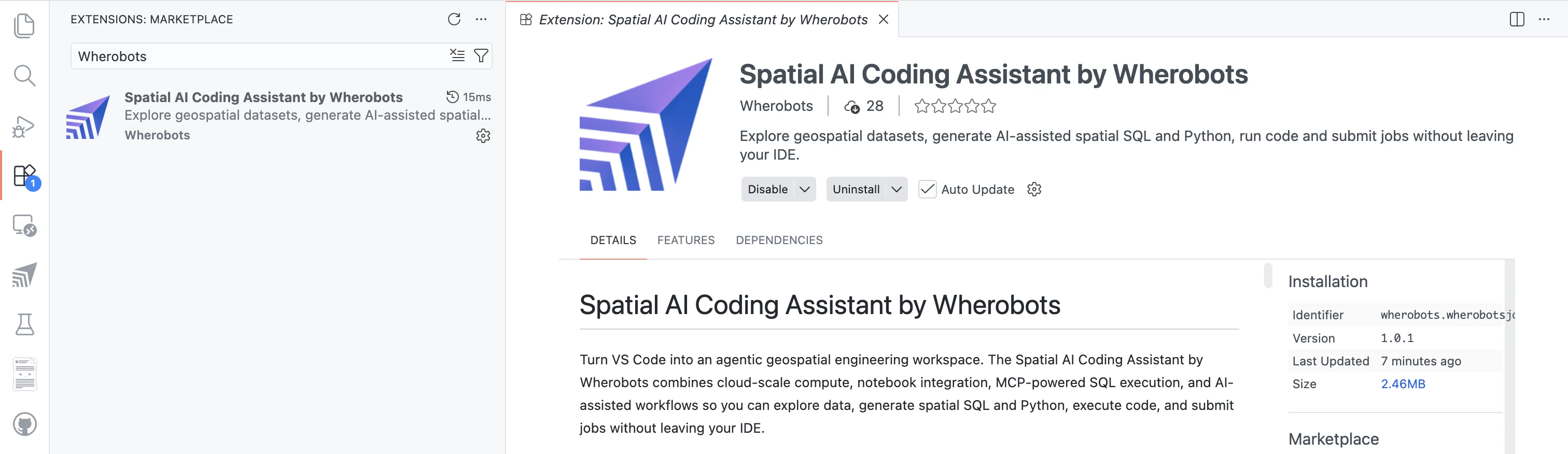
        <img src="https://mintcdn.com/wherobots/sQRlg2xOr4yRMlZ8/develop/vscode-extension/images/vscode-extension-page.png?fit=max&auto=format&n=sQRlg2xOr4yRMlZ8&q=85&s=eaabcb7e7ea61ec59b0f1f533b9d0d01" alt="Wherobots VS Code Extension in VS Code Marketplace" className="rounded-lg shadow-md w-full" width="3024" height="876" data-path="develop/vscode-extension/images/vscode-extension-page.png" />
      </div>
    </div>

    <div className="border-t px-6 md:px-8 py-4" style={{ borderColor: 'rgba(97,51,190,0.2)' }}>
      <CardGroup cols={4}>
        <Card title="Installation & Setup" icon="puzzle-piece" iconType="solid" href="/develop/agentic-tools">
          Install the extension and connect to Wherobots.
        </Card>

        <Card title="AI-Assisted Notebooks" icon="wand-magic-sparkles" iconType="solid" href="/develop/vscode-extension/notebooks">
          Create and run notebooks with your editor's AI assistant.
        </Card>

        <Card title="Job Submission" icon="paper-plane" iconType="solid" href="/develop/vscode-extension/jobs">
          Submit Python scripts as Wherobots job runs.
        </Card>

        <Card title="Workspaces & Usage" icon="server" iconType="solid" href="/develop/vscode-extension/workspaces">
          Manage workspaces and monitor costs.
        </Card>
      </CardGroup>
    </div>
  </div>

  <h2 className="text-2xl font-bold mt-10 mb-2 text-gray-900 dark:text-white">Quickstart</h2>
  <p className="text-gray-600 dark:text-gray-400 mb-6">Get up and running with Wherobots in minutes.</p>

  <CardGroup cols={3}>
    <Card title="What is Wherobots?" icon="compass" href="/get-started/wherobots-fundamentals/platform-overview">
      Understand the platform architecture and how WherobotsDB, WherobotsAI, RasterFlow, and Havasu work together.
    </Card>

    <Card title="Create an Account" icon="user-plus" href="/get-started/wherobots-cloud/create-account">
      Register for a free Community Edition organization to start exploring spatial data.
    </Card>

    <Card title="Run Your First Notebook" icon="rocket" href="/get-started/wherobots-cloud/start-notebook">
      Load vector and raster data, run spatial queries, and visualize your results.
    </Card>
  </CardGroup>

  <h2 className="text-2xl font-bold mt-14 mb-2 text-gray-900 dark:text-white">Platform Capabilities</h2>
  <p className="text-gray-600 dark:text-gray-400 mb-6">Wherobots provides a unified platform for spatial ETL, analytics, and AI.</p>

  <h3 className="text-lg font-semibold mt-8 mb-4" style={{ color: '#6133be' }}>Spatial Analytics</h3>

  <CardGroup cols={2}>
    <Card title="WherobotsDB" icon="database" iconType="solid" href="/get-started/wherobots-fundamentals/platform-overview">
      Cloud-native, serverless spatial analytics engine. Process vector and raster data with Spatial SQL, Python, and Scala — up to 20x faster than alternatives.
    </Card>

    <Card title="Havasu Table Format" icon="table" iconType="solid" href="/reference/havasu-table/introduction">
      Spatial table format built on Apache Iceberg. ACID transactions, time travel, and optimized storage for geometry and raster data.
    </Card>
  </CardGroup>

  <h3 className="text-lg font-semibold mt-8 mb-4" style={{ color: '#6133be' }}>AI & Machine Learning</h3>

  <CardGroup cols={2}>
    <Card title="WherobotsAI" icon="brain" iconType="solid" href="/get-started/wherobots-fundamentals/platform-overview">
      Run computer vision on satellite imagery, detect spatial clusters and hotspots, and match GPS traces to road networks — all at planetary scale.
    </Card>

    <Card title="RasterFlow" icon="layer-group" iconType="solid" href="/develop/rasterflow/index">
      End-to-end inference engine for large-scale raster processing. Build mosaics, run ML models, and vectorize results with a simple API.
    </Card>
  </CardGroup>

  <h3 className="text-lg font-semibold mt-8 mb-4" style={{ color: '#6133be' }}>Data & Storage</h3>

  <CardGroup cols={2}>
    <Card title="Spatial Data Catalog" icon="book-open" iconType="solid" href="/tutorials/spatial-catalog/introduction">
      Browse and discover curated geospatial datasets including Overture Maps, ESA WorldCover, and more.
    </Card>

    <Card title="Cloud Storage" icon="hard-drive" iconType="solid" href="/develop/storage-management/wherobots-cloud-storage-overview">
      Managed storage, S3 integration, and bring-your-own-storage options for your geospatial data.
    </Card>
  </CardGroup>

  <h2 className="text-2xl font-bold mt-14 mb-2 text-gray-900 dark:text-white">Developer Tools</h2>
  <p className="text-gray-600 dark:text-gray-400 mb-6">Build, automate, and integrate Wherobots into your workflows.</p>

  <CardGroup cols={3}>
    <Card title="MCP Server" icon="message-bot" iconType="solid" horizontal href="/develop/mcp/mcp-server-usage">
      Explore spatial data and generate SQL through natural language in Copilot.
    </Card>

    <Card title="Spatial SQL API" icon="code" iconType="solid" horizontal href="/develop/spatial-sql-api">
      Submit SQL queries programmatically via the Wherobots SQL API.
    </Card>

    <Card title="Airflow Provider" icon="wind" iconType="solid" horizontal href="/develop/airflow-provider">
      Orchestrate spatial ETL pipelines with the Wherobots Airflow provider.
    </Card>
  </CardGroup>

  <h2 className="text-2xl font-bold mt-14 mb-2 text-gray-900 dark:text-white">Learn</h2>
  <p className="text-gray-600 dark:text-gray-400 mb-6">Explore tutorials and reference documentation.</p>

  <CardGroup cols={2}>
    <Card title="Tutorials" icon="graduation-cap" iconType="solid" href="/tutorials/index">
      Hands-on notebooks for spatial analytics, raster inference, data connections, and more.
    </Card>

    <Card title="API Reference" icon="book" iconType="solid" href="/reference/wherobots-db/geometry-data/overview">
      Complete reference for 300+ spatial functions, WherobotsAI algorithms, Havasu tables, and RasterFlow.
    </Card>
  </CardGroup>

  <CardGroup cols={2}>
    <Card title="Intro to Spatial Data" icon="globe" iconType="solid" horizontal href="/get-started/wherobots-fundamentals/intro-to-spatial-data">
      New to geospatial? Learn about vector vs. raster data types and common formats.
    </Card>

    <Card title="Apache Sedona vs. Wherobots" icon="scale-balanced" iconType="solid" horizontal href="/apache-sedona">
      Compare open-source Apache Sedona with the managed Wherobots platform.
    </Card>
  </CardGroup>

  <h2 className="text-2xl font-bold mt-14 mb-2 text-gray-900 dark:text-white">Manage Your Organization</h2>
  <p className="text-gray-600 dark:text-gray-400 mb-6">Administer your team, billing, and security settings.</p>

  <CardGroup cols={3}>
    <Card title="Invite Members" icon="users" iconType="solid" horizontal href="/get-started/organization-info/invite-guide">
      Add team members and manage roles.
    </Card>

    <Card title="Billing & Usage" icon="credit-card" iconType="solid" horizontal href="/get-started/organization-management/billing">
      Monitor costs and manage billing.
    </Card>

    <Card title="SSO & Security" icon="shield-halved" iconType="solid" horizontal href="/get-started/organization-management/configuring-saml">
      Configure SAML SSO and security policies.

    </Card>
  </CardGroup>
</div>