> ## Documentation Index
> Fetch the complete documentation index at: https://docs.wherobots.com/llms.txt
> Use this file to discover all available pages before exploring further.
# Create a Wherobots Account
> Create a Wherobots Account to access Wherobots Cloud and its suite of geospatial data processing and analytics tools.
export const List = ({marker, children}) => {
return <>
;
};
**Upgrading an existing Community Organization?**
If you're upgrading from an **existing** Community Edition Organization to a Professional or Innovation Edition Organization, see [Upgrade Organization](/get-started/upgrade-organization/) instead.
## Benefits
By signing up for an account, you can use Wherobots Cloud and get access to the following:
WherobotsDB is a cloud-native, serverless analytics engine optimized for geospatial workloads. WherobotsDB does the following:
* Automates Spatial Data Processing.
* Modernizes Apache Spark + Apache Sedona Workloads
* Extracts insights from aerial imagery
For more information, see [Introduction to WherobotsDB](/get-started/wherobots-fundamentals/platform-overview#wherobotsdb-in-depth).
GeoStats and Map Matching make it easy to extract insights from geospatial data without needing to be a geospatial or infrastructure expert.
For more information, see [GeoStats and Map Matching](/get-started/wherobots-fundamentals/platform-overview#geostats-and-map-matching-in-depth).
## Access to Wherobots Cloud
To access Wherobots Cloud, you'll need to create an **Account** to log in, which gives you access to an **Organization**.
An **Organization** serves as your workspace for running queries, managing data, and collaborating with members.
When creating a new Organization, you'll be asked to choose an Organization Name after you create your Account.
For more information, on the relationship between Organizations and Accounts, see [Organizations and Accounts](/get-started/organization-management/organizations-and-accounts).
## Create or Join an Organization
Wherobots Cloud provides two distinct Organization onboarding options:
* **Create a new Organization:** Be the first to establish an Organization.
* **Join an existing Organization:** Join an existing Organization after being invited by an Admin.
This simplified diagram illustrates the account creation process for either onboarding option:
```mermaid theme={"system"}
flowchart TD
%% Decision node with true diamond shape
A{"Are you joining an Existing Organization?"}:::diamond
%% Left branch - Existing Organization
A -->|Yes—I'm joining an existing Wherobots Organization.| B[Receive Invite from an Admin]:::box
B --> C[Accept Invite]:::box
C --> D[Create an Account]:::box
%% Right branch - New Organization
A -->|No—I'm creating a new Wherobots Organization.| E[Choose an Organization Edition]:::box
E --> F[Create an Account]:::box
F --> G[Create a new Organization]:::box
%% Merge point
D --> H[Access Organization in Wherobots Cloud]:::final
G --> H
```
### What's your starting point?
To be directed to the appropriate documentation, click the button that represents your onboarding starting point.
| Choose your starting point | |
| --------------------------------------------------------------------------------------------------------------------------------------------- | --------------------------------------------------------------------------------------------------------------------- |
| | |
### Create a new Organization
Wherobots offers different paths to access Wherobots Cloud based on your desired Organization Edition:
First create a free [Community Edition Organization](#create-a-community-edition-organization), then upgrade it using [Direct Billing](/get-started/upgrade-organization#direct-billing) (credit card or bank account) or through the AWS Marketplace.
Contact us to discuss an annual Innovation engagement: [Contact sales and support](https://wherobots.com/contact/).
Contact us to discuss a custom contract: [Contact sales and support](https://wherobots.com/contact/).
Sign up for free directly through Wherobots Cloud. For further details, see [Create a Community Edition Organization](#create-a-community-edition-organization).
For detailed comparisons of available Wherobots Editions, see [Wherobots Pricing](https://wherobots.com/pricing) or [Organization Editions](/get-started/organization-management/organization-editions) in the Wherobots Documentation.
| Choose an Organization Edition | | | |
| --------------------------------------------------------------------------------------------------------------------------- | ------------------------------------------------------------------------------------------------------------------------ | ------------------------------------------------------------------------------------------------------------------------ | --------------------------------------------------------------------------------------------------------------------- |
| | | | |
#### Create a Professional Edition Organization
To create a Professional Edition Organization, you must first create a free Community Edition Organization, then upgrade it to Professional Edition.
Follow the steps in [Create a Community Edition Organization](#create-a-community-edition-organization) to register for a free account and set up your Organization.
Log in to [Wherobots Cloud](https://cloud.wherobots.com/) with the account you just created.
Once your Community Edition Organization is set up, upgrade it to Professional Edition using one of the following methods:
* **Direct Billing:** Add a credit card or bank account directly in Wherobots Cloud under [**Organization Settings > Billing**](https://cloud.wherobots.com/organization#billing).
* **AWS Marketplace:** Subscribe through the [AWS Marketplace listing](https://aws.amazon.com/marketplace/pp/prodview-ndy62v6hhwrne) and link your subscription to your Wherobots Organization.
For full upgrade instructions, see [Upgrade Organization](/get-started/upgrade-organization/).
#### Create an Innovation Edition Organization
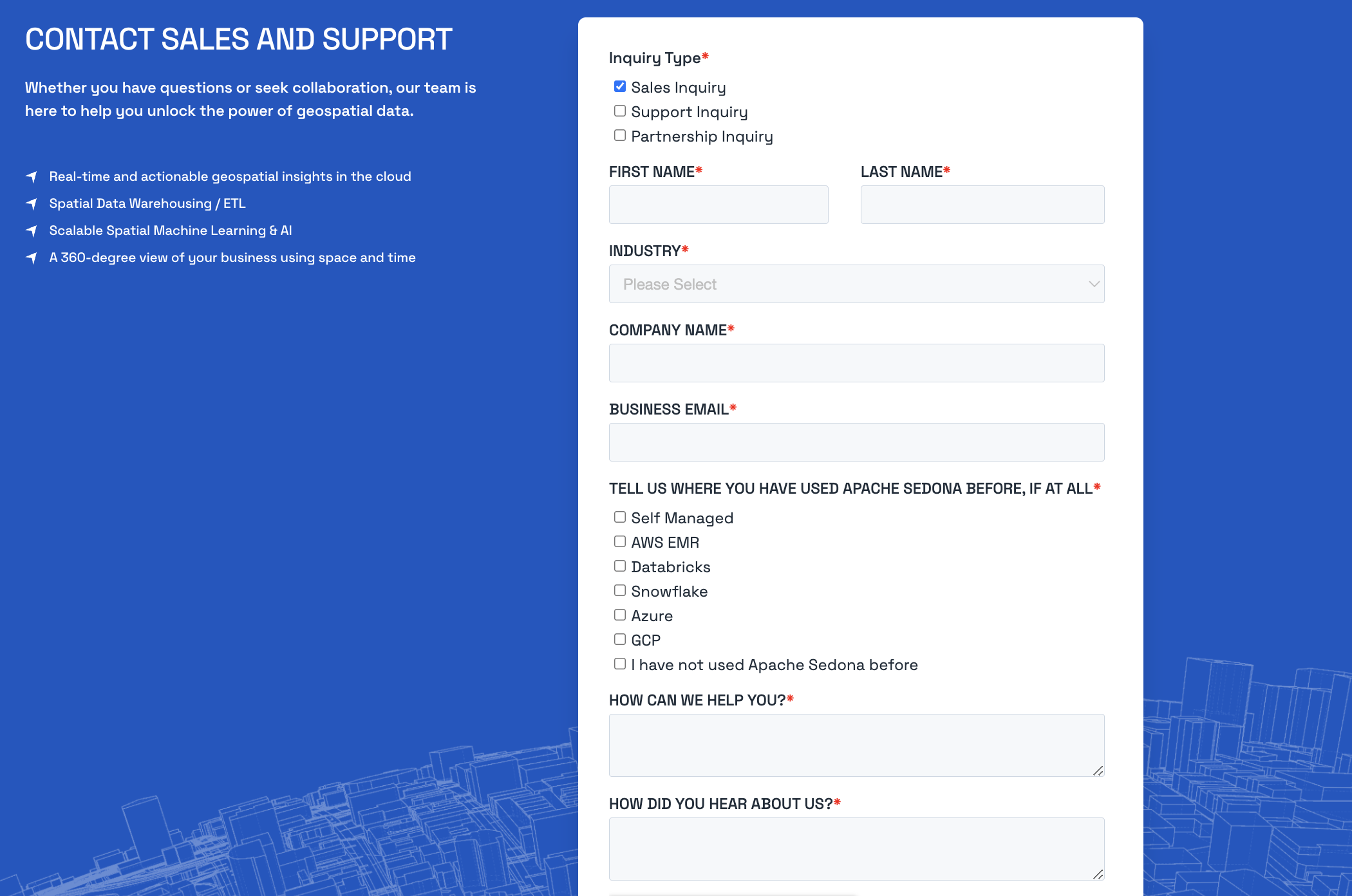
Go to [Contact sales and support](https://wherobots.com/contact/).
Select **Sales Inquiry** and note that you are interested in the **Innovation Edition**.
A member of the Wherobots team will review your message and respond accordingly.
#### Create an Enterprise Edition Organization
Go to [Contact sales and support](https://wherobots.com/contact/).
Inquiry type: Select Sales Inquiry.
First Name: Enter your first name.
Last Name: Enter your last name.
Work Email: Provide your work email address.
Company: Enter the name of your company or organization.
Tell us where you have used Apache Sedona before, if at all: Select the option that applies to you:
• Self Managed
• AWS EMR
• Databricks
• Snowflake
• Azure
• GCP
• I have not used Apache Sedona before
How can we help you?: Briefly describe your reason for contacting Wherobots.
How did you hear about us?: Let us know how you discovered Wherobots.
Click Send: Once you've completed the form, click Send to submit your inquiry.
A member of the Wherobots team will review your message and respond accordingly.
#### Create a Community Edition Organization
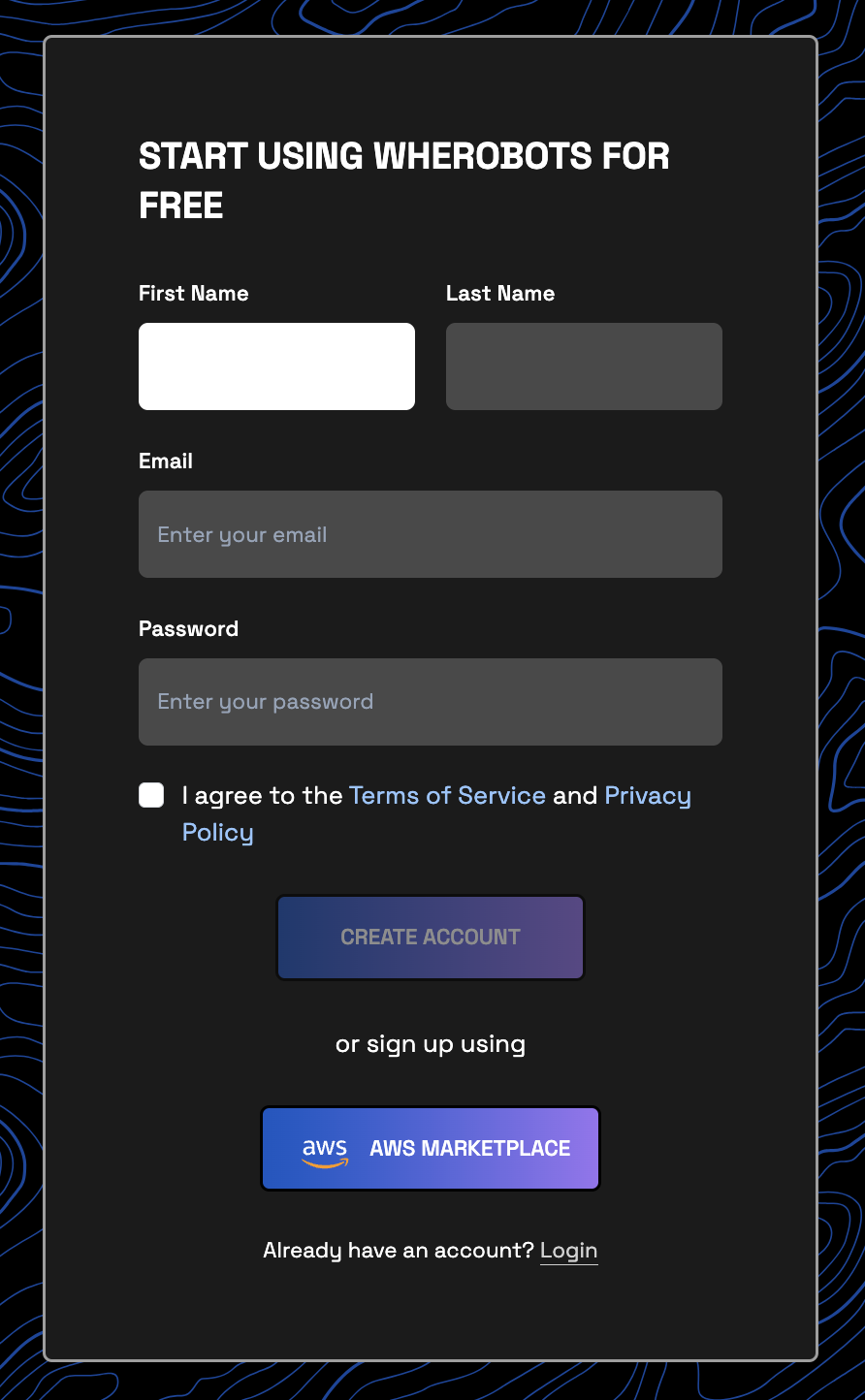
Go to the Wherobots Cloud [registration screen](https://cloud.wherobots.com/auth/signup).
a. Input your **First Name**, **Last Name**, **Email**, and choose a **Password**.
b. Review and accept the **Terms of Service** and **Privacy Policy**.
Always ensure that your password is unique and secure. Don't share your password with others!
c. Click **Create Account**.
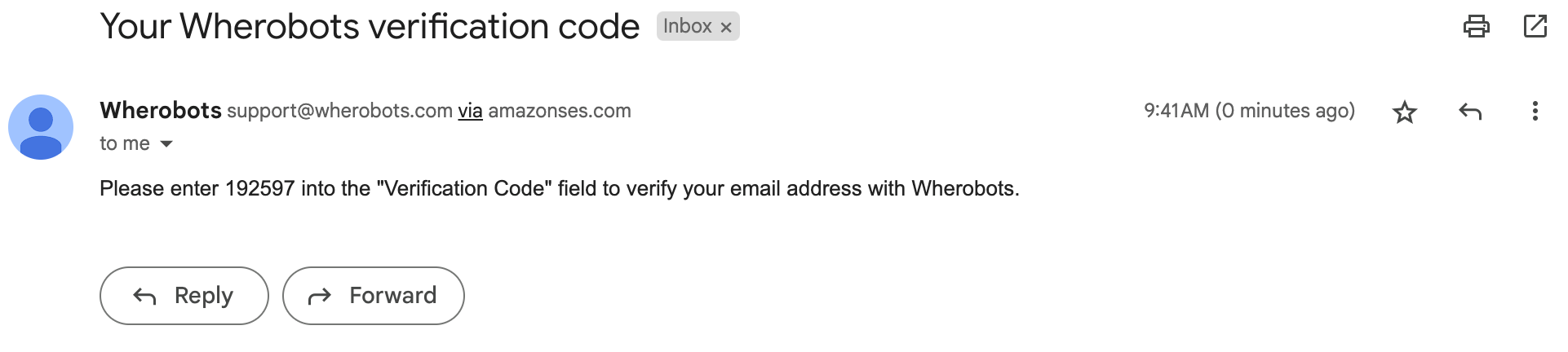
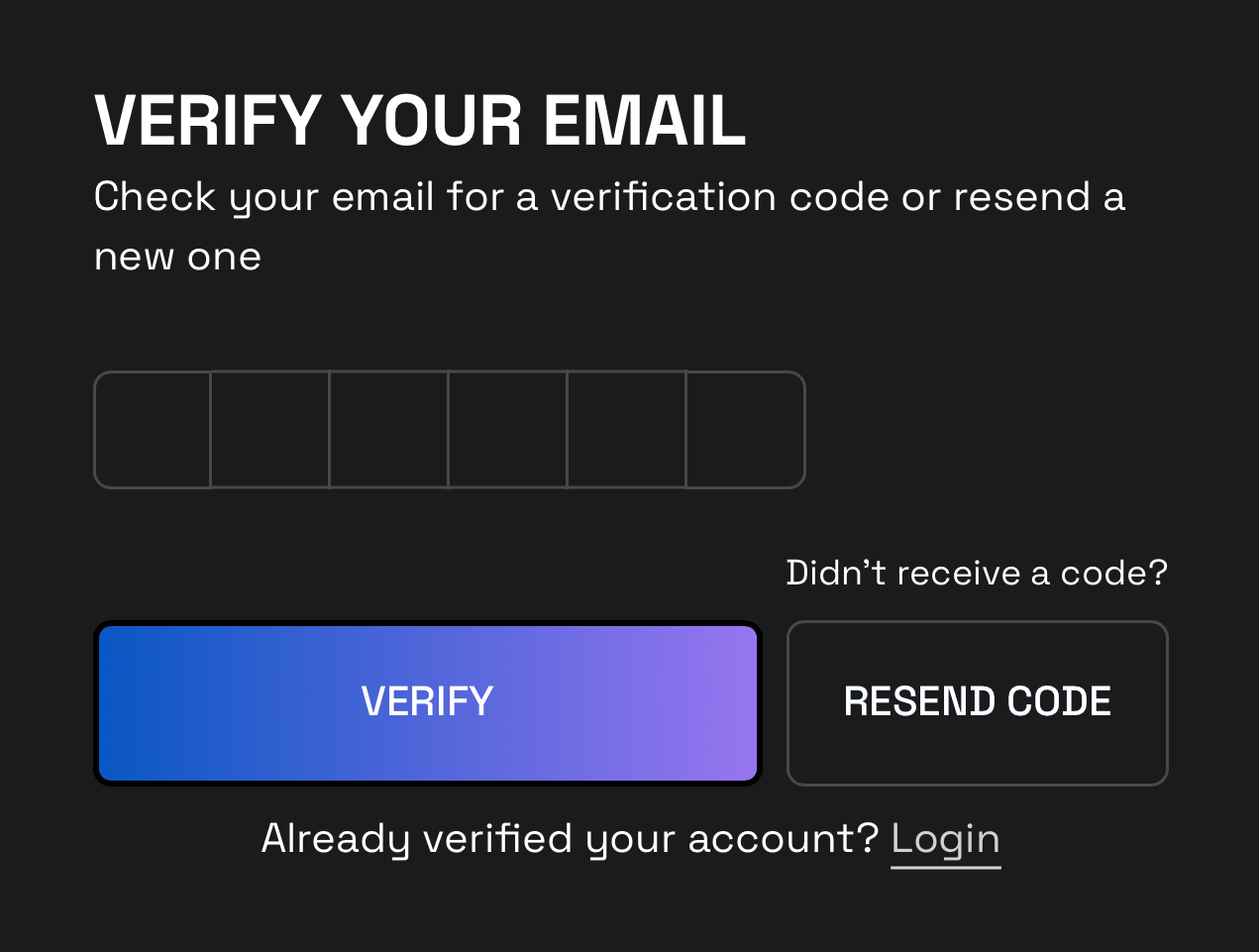
Check your email inbox for a message titled "Your Wherobots verification code".
When prompted by Wherobots Cloud, use the code in that email to verify your account.
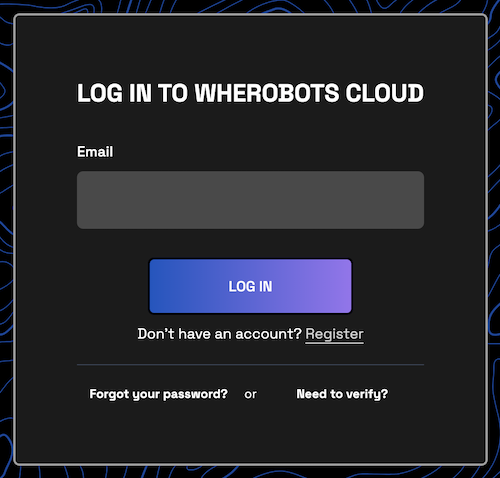
After verifying your account, you will be redirected back to the login page. Use your email and password to log in.
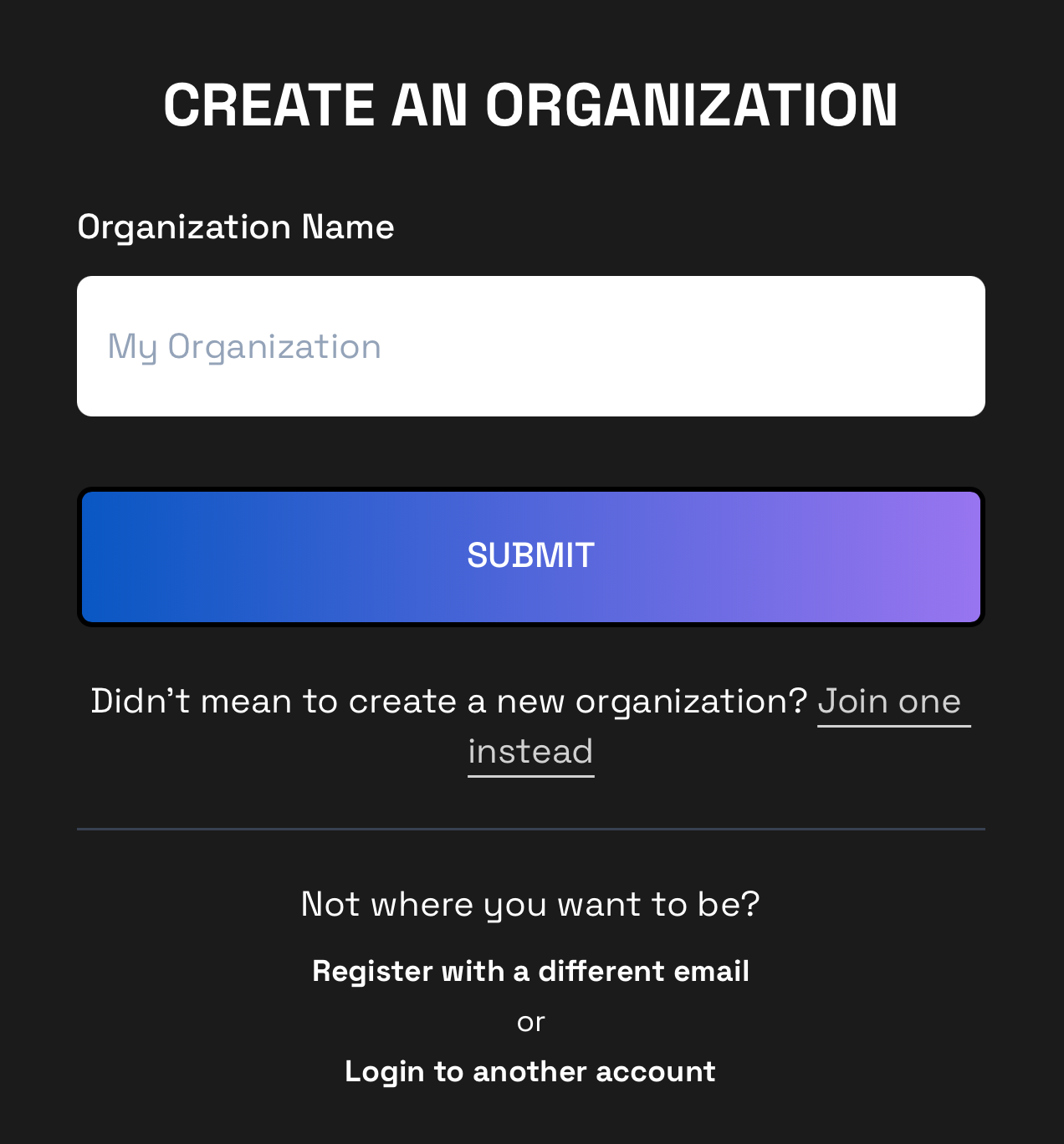
Enter a name for your Organization.
Upon entering your Organization Name, you'll be redirected to [Wherobots Notebooks](https://cloud.wherobots.com/notebooks).
If your goal is to create a **Professional Edition Organization**, you can now follow the steps in [Upgrade to Professional Edition](/get-started/upgrade-organization) to upgrade your Community Edition Organization.
**Explore Wherobots**
Learn the essentials of WherobotsDB, GeoStats, and Map Matching with our Wherobots Fundamentals series.
| Explore Wherobots | |
| -------------------------------------------------------------------------------------------------------------------------- | ---------------------------------------------------------------------------------------------------------------------------------------------------- |
| | |
 b. Review and accept the **Terms of Service** and **Privacy Policy**.
 When prompted by Wherobots Cloud, use the code in that email to verify your account.
 Upon entering your Organization Name, you'll be redirected to [Wherobots Notebooks](https://cloud.wherobots.com/notebooks).